

Letta: Khi AI Agent có bộ nhớ dài hạn - Không còn "não cá vàng"! 🧠
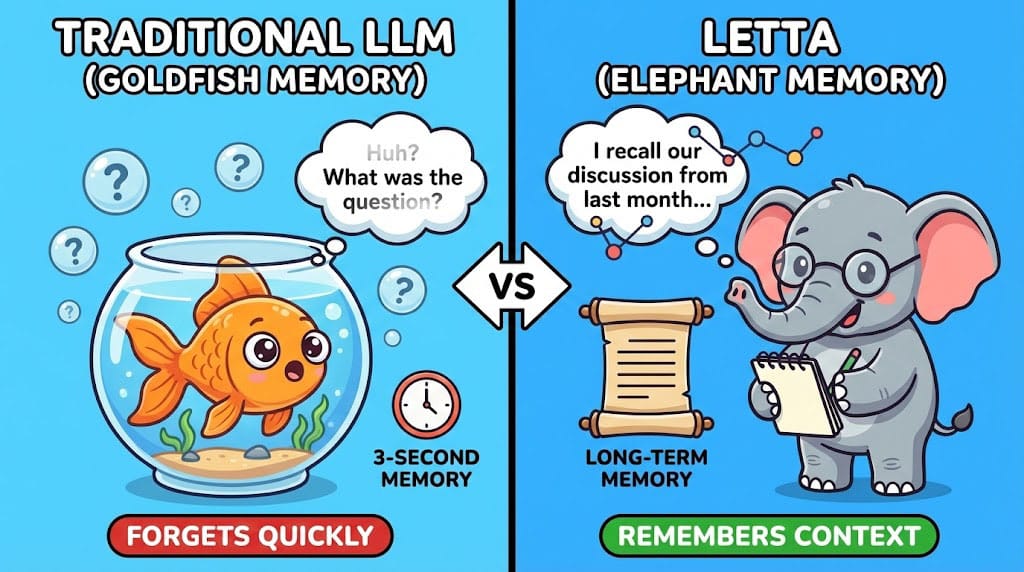
"Mình đã nói với bạn hôm qua rồi mà!" - Bạn có bao giờ frustrated khi AI quên hết mọi thứ không?
Đây là một trong những đau khổ lớn nhất khi làm việc với LLM: mỗi phiên chat là một trang giấy trắng. AI có thể giúp bạn viết code tuyệt vời hôm nay, nhưng ngày mai nó không nhớ gì về project của bạn cả. 😤
Letta là câu trả lời cho vấn đề này! Framework này biến AI agents thành những trợ lý có ký ức thực sự. Hãy cùng mình khám phá nhé! 🚀
Trong bài này, bạn sẽ học được:
- ✅ Tại sao memory là thành phần thiếu vắng critical của AI
- ✅ Letta giải quyết vấn đề này như thế nào
- ✅ Cách build AI agent với long-term memory
📌 Vấn đề với LLM hiện tại
Context Window ≠ Memory
Nhiều người nhầm lẫn context window với memory:
| Context Window | True Memory |
|---|---|
| Ngắn hạn (session-based) | Dài hạn (persistent) |
| Giới hạn tokens (8K-128K) | Unlimited |
| Mất khi close session | Lưu trữ vĩnh viễn |
| Passive (chỉ đọc input) | Active (tự retrieve) |
Hậu quả thực tế
Bạn đã gặp những tình huống này chưa?
- 🔄 Phải repeat information mỗi lần chat mới
- 📝 AI không nhớ coding conventions bạn đã nói
- 🤦 Phải copy-paste context từ conversations cũ
- 💬 Không thể build personalized assistants thực sự
Đây là lý do tại sao các AI chatbots vẫn chưa thể thay thế human assistants – chúng không "học" từ mỗi tương tác!
💡 Letta là gì?
Letta là một stateful AI agent framework cung cấp:
Core Features
- 📚 Persistent Memory
- Lưu trữ conversations và learnings
- Tự động organize và index
- Query bằng natural language
- 🧠 Intelligent Recall
- Tự động retrieve relevant memories
- Contextual awareness across sessions
- Prioritize important information
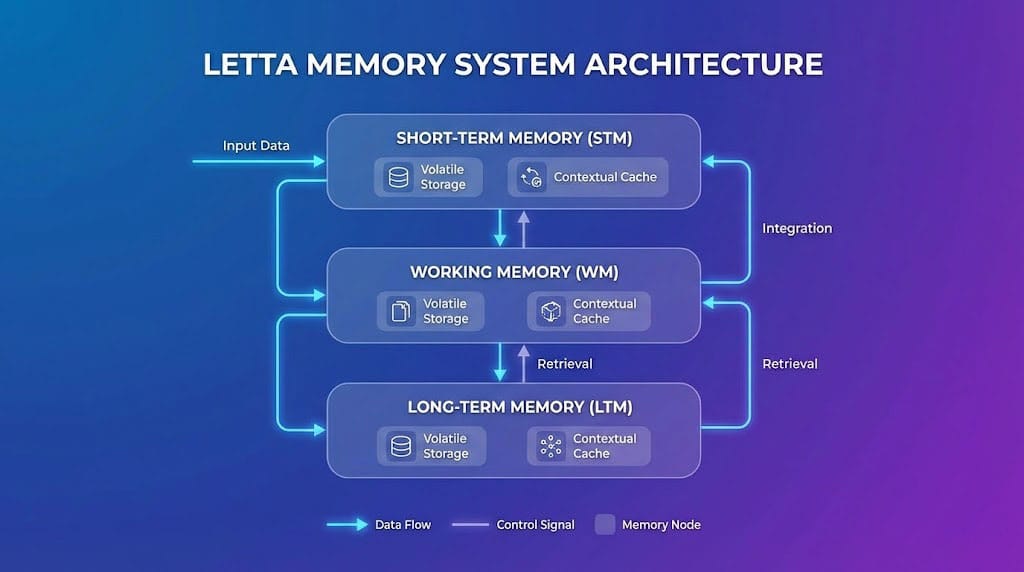
🔗 Memory Types
├── Core Memory (luôn available)
├── Archival Memory (long-term storage)
└── Recall Memory (searchable history)
Architecture Overview
User Input
    │
    ▼
┌───────────────────┐
│   Letta Agent     │
│  ┌─────────────┐  │
│  │ Core Memory │◀─┤─── Persona, user info
│  └─────────────┘  │
│  ┌─────────────┐  │
│  │  Archival   │◀─┤─── Past conversations, learnings
│  └─────────────┘  │
│  ┌─────────────┐  │
│  │   Recall    │◀─┤─── Searchable message history
│  └─────────────┘  │
└───────────────────┘
    │
    ▼
Response (informed by memory)
🚀 Bắt đầu với Letta
Installation
# Install Letta
pip install letta

# Hoặc development version
pip install git+https://github.com/letta-ai/letta.git
Quick Start - Tạo Agent đầu tiên
from letta import Letta, Agent

# Initialize Letta client
client = Letta()

# Create an agent with memory
agent = client.create_agent(
    name="MyAssistant",
    llm="gpt-4-turbo",  # or any supported model
    system_prompt="""
    Bạn là trợ lý cá nhân của user.
    Hãy nhớ preferences và context từ mọi cuộc hội thoại.
    """,
)

# First conversation
response = agent.send_message("Mình là developer Python, thích làm việc về AI")
print(response)

# ... Later (even days later) ...

# Agent still remembers!
response = agent.send_message("Gợi ý project mới cho mình đi")
# Agent will suggest Python/AI projects based on remembered preferences!
Memory Operations
# Add to core memory (always available)
agent.core_memory.add("user_preferences", {
    "language": "Python",
    "interests": ["AI", "Web Development"],
    "coding_style": "Clean Code advocate"
})

# Search archival memory
memories = agent.archival_memory.search("previous projects")

# Get conversation history
history = agent.recall_memory.get_messages(limit=50)
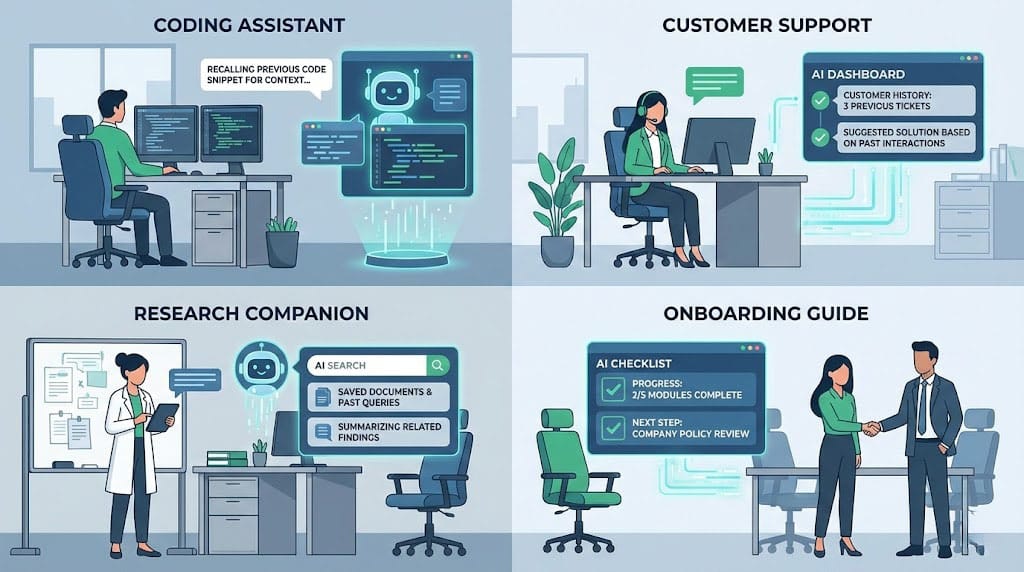
🎯 Use Cases thực tế
1. Personal Coding Assistant
# Agent nhớ:
# - Coding conventions của bạn
# - Stack technology yêu thích
# - Patterns đã dùng trong past projects
# - Bugs bạn hay gặp

agent.send_message("Review code này cho mình")
# → Agent sẽ review dựa trên your personal standards!
2. Customer Support Bot
# Agent nhớ:
# - Lịch sử purchase của customer
# - Previous support tickets
# - Preferred communication style
# - Past issues and resolutions
3. Research Assistant
# Agent nhớ:
# - Papers đã đọc
# - Key findings
# - Research questions
# - Citation preferences
4. Team Onboarding Bot
# Agent nhớ:
# - Company processes đã giải thích
# - New hire's background
# - Questions đã hỏi
# - Progress tracking
📊 So sánh với các giải pháp khác
| Feature | Raw LLM | LangChain Memory | Letta |
|---|---|---|---|
| Persistent storage | ❌ | ⚠️ Manual | ✅ Built-in |
| Intelligent retrieval | ❌ | ⚠️ Basic | ✅ Advanced |
| Memory types | ❌ | 1-2 | 3+ |
| Auto-organization | ❌ | ❌ | ✅ |
| Cross-session | ❌ | ⚠️ Needs setup | ✅ Default |
| Self-editing memory | ❌ | ❌ | ✅ |
Điểm mạnh độc đáo của Letta
Self-Editing Memory: Agent có thể tự update memories khi có thông tin mới!
# Conversation 1
"Mình thích React hơn Vue"

# Conversation 2 (months later)
"Dạo này mình chuyển sang Vue rồi, thích hơn React"

# → Letta tự động update preference trong memory!
⚠️ Considerations
Storage Requirements
- Memory grows over time
- Recommend setting archival memory limits
- Consider data retention policies
Performance
- Initial memory search adds latency (~100-300ms)
- Optimize với memory indexing
- Use appropriate memory tier for each use case
Best Practices
- Structure core memory với clear categories
- Regular memory pruning để giữ relevant info
- Use system prompts để guide memory usage
- Test memory retrieval với various queries
✅ Kết luận
Letta giải quyết một trong những fundamental limitations của LLM hiện tại. Với proper memory, AI agents có thể:
- 🎯 Truly personalize responses
- 📈 Improve over time từ mỗi interaction
- 🔗 Maintain context across sessions
- 💼 Handle complex workflows requiring history
Key takeaway: Memory không phải "nice-to-have" – đó là thành phần essential để AI trở thành trợ lý thực sự!
Hành động tiếp theo:
- Clone Letta repo và explore examples
- Build một simple persistent agent
- Experiment với different memory configurations
📚 Tài liệu tham khảo
Bạn sẽ build AI agent với memory để làm gì? Share ý tưởng nhé! 🧠
Discussion