

Chatterbox: Text-to-Speech mã nguồn mở chất lượng SoTA, chạy 100% Offline 🎙️
"Giọng đọc AI mà nghe như người thật?" - Có luôn, và còn chạy offline nữa!
Bạn có bao giờ cần tạo voiceover cho video, narration cho audiobook, hay voice cho game characters mà không muốn:
- 💸 Trả subscription hàng tháng
- 🌐 Phụ thuộc internet connection
- 🔒 Lo lắng về data privacy
Chatterbox từ Resemble.ai là câu trả lời! Một dự án TTS State of the Art hoàn toàn mã nguồn mở! 🚀
Trong bài này, bạn sẽ học được:
- ✅ Chatterbox có gì đặc biệt so với các TTS khác
- ✅ Hướng dẫn cài đặt và sử dụng chi tiết
- ✅ Benchmark chất lượng và use cases thực tế
📌 Chatterbox là gì?
Chatterbox là một Text-to-Speech engine với những đặc điểm:
| Feature | Chatterbox | Cloud TTS (ElevenLabs, etc) |
|---|---|---|
| Cost | Free (open-source) | $5-$330/month |
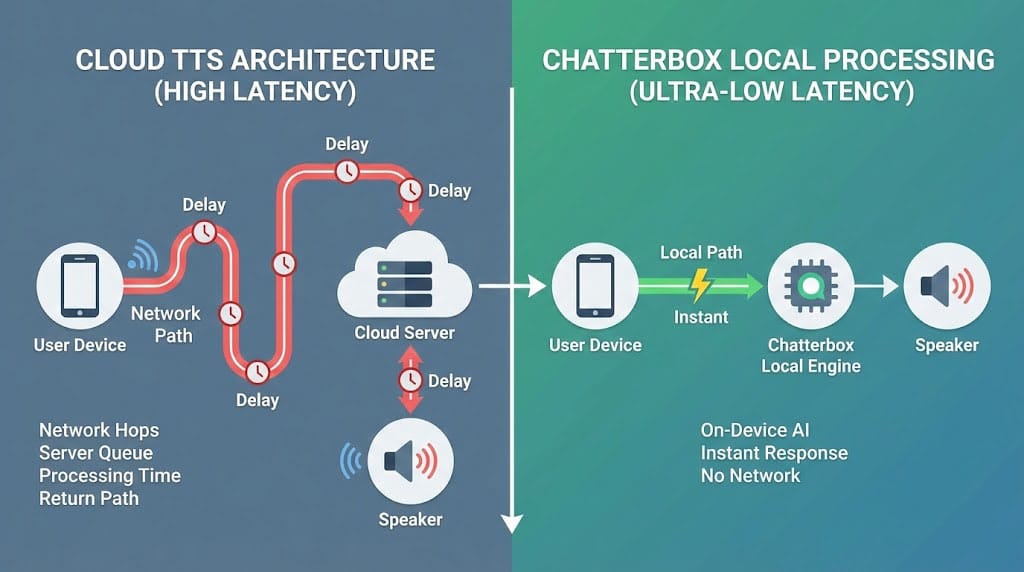
| Privacy | 100% local | Data sent to cloud |
| Internet | Không cần | Bắt buộc |
| Latency | Real-time capable | Network dependent |
| Quality | SoTA | SoTA |
| Customization | Full control | Limited |
Điểm nhấn kỹ thuật
- 🎯 Zero-shot voice cloning - Clone voice từ 3 giây audio
- ⚡ Real-time synthesis - Tốc độ 4-5x real-time trên GPU
- 🌍 Multi-language - Hỗ trợ 20+ ngôn ngữ
- 🎛️ Emotion control - Điều chỉnh tone, speed, pitch
💡 Tại sao Chatterbox đang trending?
1. Quality đã đạt "Good Enough"
Trước đây, open-source TTS luôn có gap lớn với commercial solutions. Chatterbox thay đổi điều đó:
MOS Score (Mean Opinion Score: 1-5):
- Human speech: 4.5
- ElevenLabs: 4.3
- Chatterbox: 4.2
- Previous open TTS: 3.2-3.5
Gap từ 1.0+ xuống còn 0.1 – gần như không phân biệt được!
2. Privacy-First mindset
Trong thời đại AI voice scams và deepfakes:
- Corporate policies cấm send data ra cloud
- Personal voice data cực kỳ sensitive
- Compliance requirements ngày càng strict
→ Local processing là must-have, không phải nice-to-have!
3. Cost efficiency
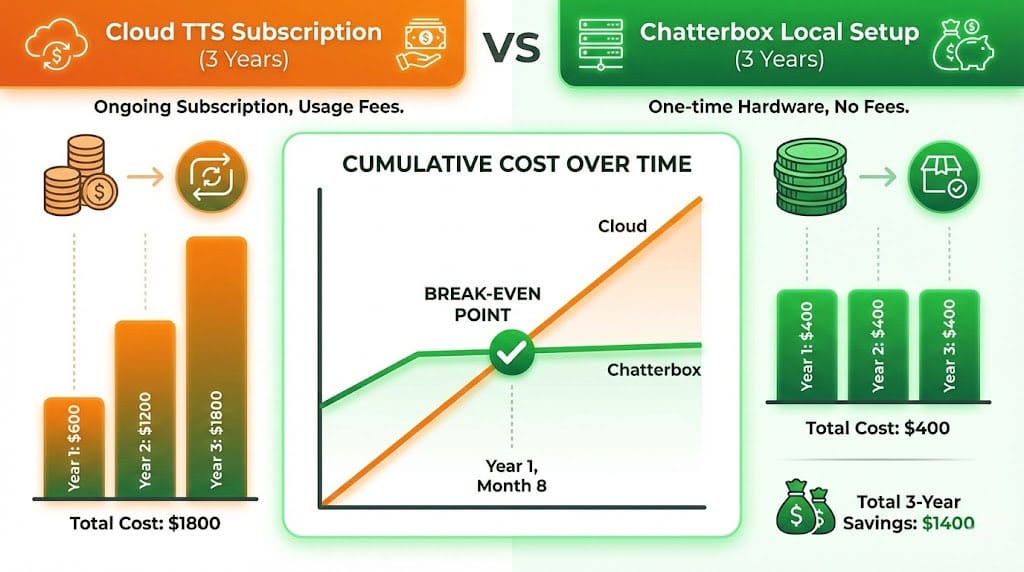
Làm một phép tính đơn giản:
ElevenLabs Pro: $99/month × 12 = $1,188/year

Chatterbox setup:
- GPU (RTX 3060): ~$300 (one-time)
- Electricity: ~$5/month = $60/year
- Total Year 1: $360
- Total Year 2+: $60/year
ROI trong 4 tháng! 💰
🚀 Hướng dẫn cài đặt Chatterbox
System Requirements
Minimum:
- CPU: Any modern quad-core
- RAM: 8GB
- GPU: 4GB VRAM (NVIDIA recommended)
- Storage: 5GB
Recommended:
- GPU: RTX 3060 12GB hoặc tốt hơn
- RAM: 16GB
- SSD storage
Installation Steps
Step 1: Clone Repository
git clone https://github.com/resemble-ai/chatterbox.git
cd chatterbox
Step 2: Setup Environment
# Create virtual environment
python -m venv .venv
source .venv/bin/activate  # Windows: .venv\Scripts\activate

# Install PyTorch với CUDA
pip install torch torchaudio --index-url https://download.pytorch.org/whl/cu118

# Install Chatterbox
pip install -e .
Step 3: Download Models
# Download default models
chatterbox download --model default

# Optional: Download additional voices
chatterbox download --model multilingual
Step 4: Verify Installation
# Quick test
chatterbox synthesize "Hello, this is a test!" --output test.wav
📖 Sử dụng Chatterbox
Command Line Interface
# Basic synthesis
chatterbox synthesize "Đây là ví dụ tiếng Việt" \
  --output output.wav \
  --language vi

# With emotion control
chatterbox synthesize "I'm so excited about this!" \
  --output excited.wav \
  --emotion happy \
  --speed 1.1

# Voice cloning
chatterbox synthesize "Clone my voice!" \
  --output cloned.wav \
  --reference-audio my_voice.wav
Python API
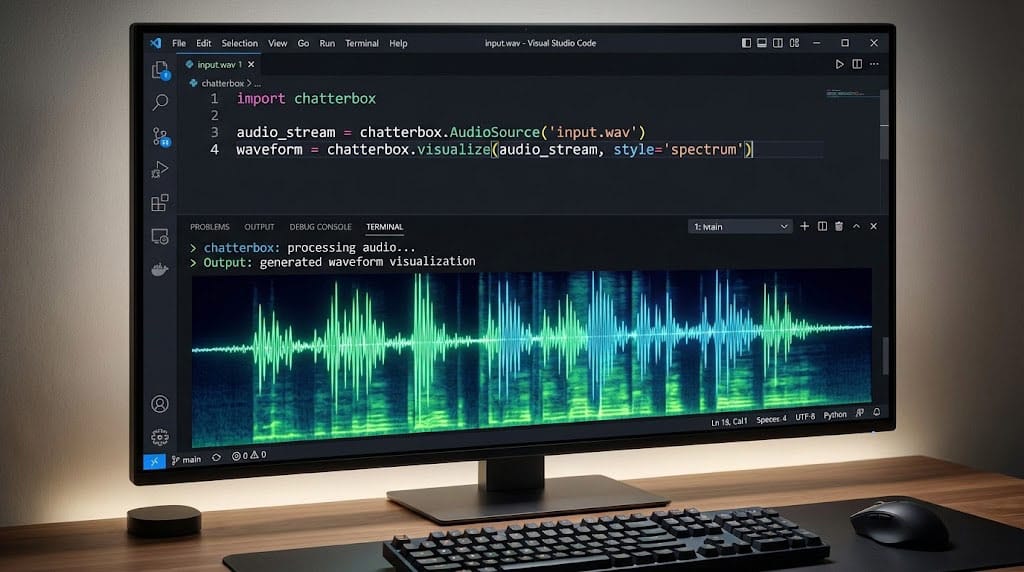
from chatterbox import Synthesizer

# Initialize
synth = Synthesizer(model="default", device="cuda")

# Basic synthesis
audio = synth.synthesize(
    text="Hello, I am Chatterbox!",
    language="en"
)
audio.save("output.wav")

# With parameters
audio = synth.synthesize(
    text="This is emotional speech.",
    language="en",
    emotion="excited",
    speed=1.0,
    pitch=1.05
)

# Voice cloning
audio = synth.synthesize(
    text="Speaking in cloned voice.",
    reference_audio="reference.wav",
    clone_strength=0.8
)
Streaming API (cho real-time applications)
from chatterbox import StreamingSynthesizer

synth = StreamingSynthesizer()

# Stream synthesis
for chunk in synth.stream("This is a long text..."):
    play_audio(chunk)  # Play immediately
🎯 Use Cases thực tế
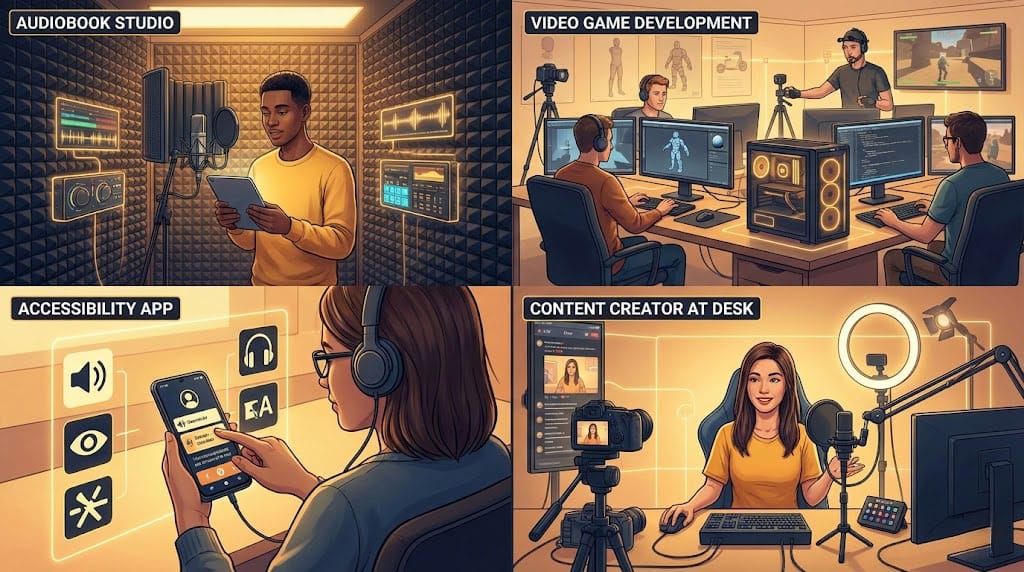
1. Audiobook Production 📚
# Process entire book
chapters = load_book("my_book.txt")
for i, chapter in enumerate(chapters):
    audio = synth.synthesize(chapter, language="vi")
    audio.save(f"chapter_{i}.wav")
Benefits:
- No per-character cost
- Consistent voice throughout
- Process overnight without supervision
2. Game Voice Acting 🎮
# NPC dialogue với multiple characters
npc_voices = {
    "merchant": "voices/merchant.wav",
    "guard": "voices/guard.wav",
    "villager": "voices/villager.wav"
}

for line in dialogue_lines:
    audio = synth.synthesize(
        line.text,
        reference_audio=npc_voices[line.character]
    )
    audio.save(f"dialogue/{line.id}.wav")
3. Accessibility Applications 👁️
# Screen reader với natural voice
class AccessibilityReader:
    def __init__(self):
        self.synth = StreamingSynthesizer()

    def read_screen(self, text):
        for chunk in self.synth.stream(text):
            self.play_immediately(chunk)
4. Video Content Creation 🎬
# YouTube video narration
script = """
Chào các bạn! Hôm nay mình sẽ review...
"""
audio = synth.synthesize(script, language="vi", emotion="friendly")
audio.save("narration.wav")
5. Educational Content 📝
# Language learning pronunciation
words = ["pronunciation", "vocabulary", "grammar"]
for word in words:
    audio = synth.synthesize(word, speed=0.8)  # Slower for learning
    audio.save(f"vocab/{word}.wav")
📊 Benchmark Results
Quality Comparison
| Metric | Chatterbox | ElevenLabs | Google TTS | Amazon Polly |
|---|---|---|---|---|
| MOS Score | 4.2 | 4.3 | 3.8 | 3.6 |
| Naturalness | 4.1 | 4.2 | 3.5 | 3.4 |
| Clarity | 4.4 | 4.4 | 4.0 | 4.1 |
Speed Comparison (RTX 3060)
| Text Length | Synthesis Time | Real-time Factor |
|---|---|---|
| 100 chars | 0.3s | 4.5x |
| 500 chars | 1.2s | 4.8x |
| 1000 chars | 2.5s | 5.0x |
Memory Usage
| Model Size | VRAM Usage | RAM Usage |
|---|---|---|
| Base | 2.5GB | 4GB |
| Multilingual | 4GB | 6GB |
| High-quality | 6GB | 8GB |
⚠️ Limitations
Khi nào Chatterbox KHÔNG phải lựa chọn tốt
- ❌ No GPU available - CPU-only rất chậm
- ❌ Mobile deployment - Models quá lớn
- ❌ Need for specific celebrity voices - Ethical concerns
- ❌ Extreme real-time requirements - Network TTS có thể nhanh hơn
Best Practices
- GPU optimization: Sử dụng half-precision (fp16) để giảm VRAM
- Caching: Cache frequently used phrases
- Batch processing: Process nhiều files overnight
- Quality tuning: Adjust emotion và speed cho natural results
✅ Kết luận
Chatterbox đánh dấu một milestone quan trọng trong lịch sử open-source TTS:
| Aspect | Impact |
|---|---|
| Quality | Commercial-grade, mã nguồn mở |
| Privacy | Full data sovereignty |
| Cost | Giảm 90%+ so với subscription |
| Flexibility | Full customization control |
Key takeaway: Bạn không còn phải trade-off giữa quality và privacy. Chatterbox cho bạn cả hai!
Hành động tiếp theo:
- Clone repo và chạy quick test
- Experiment với different voices
- Integrate vào project of your choice
📚 Tài liệu tham khảo
- Chatterbox GitHub Repository
- Official Documentation
- Model Card & Benchmarks
- Resemble.ai Blog
- Community Discord
Bạn sẽ dùng Chatterbox cho project gì? Share với mình nhé! 🎙️
Discussion